Authorization
Two separate grants: your client to Omniio, and Omniio to each upstream on your behalf.
Two grants sit on either side of Omniio. They solve different problems and can be revoked independently.
Your client to Omniio#
When Claude, Cursor or another MCP client first reaches the endpoint, Omniio acts as its OAuth 2.1 authorization server. The client registers itself, generates a PKCE challenge and sends you to the Omniio sign-in page. After you sign in, the token it receives is bound to the MCP endpoint as its resource.
- Dynamic registration
- The client creates its own registration. There is no client ID or secret for you to copy into a config file.
- PKCE
- Required for every client. A captured authorization code cannot be exchanged without the verifier held by the client that began the flow.
- Resource binding
- The access token is issued for the Omniio MCP endpoint. It is not an Omniio REST API key and cannot be reused against `/api/v1`.
Every registered client appears at Settings → Connections, including clients that authorized but have not made their first call. You can give a connection a useful name after it has called, see when it was first and last active, and revoke only that client.
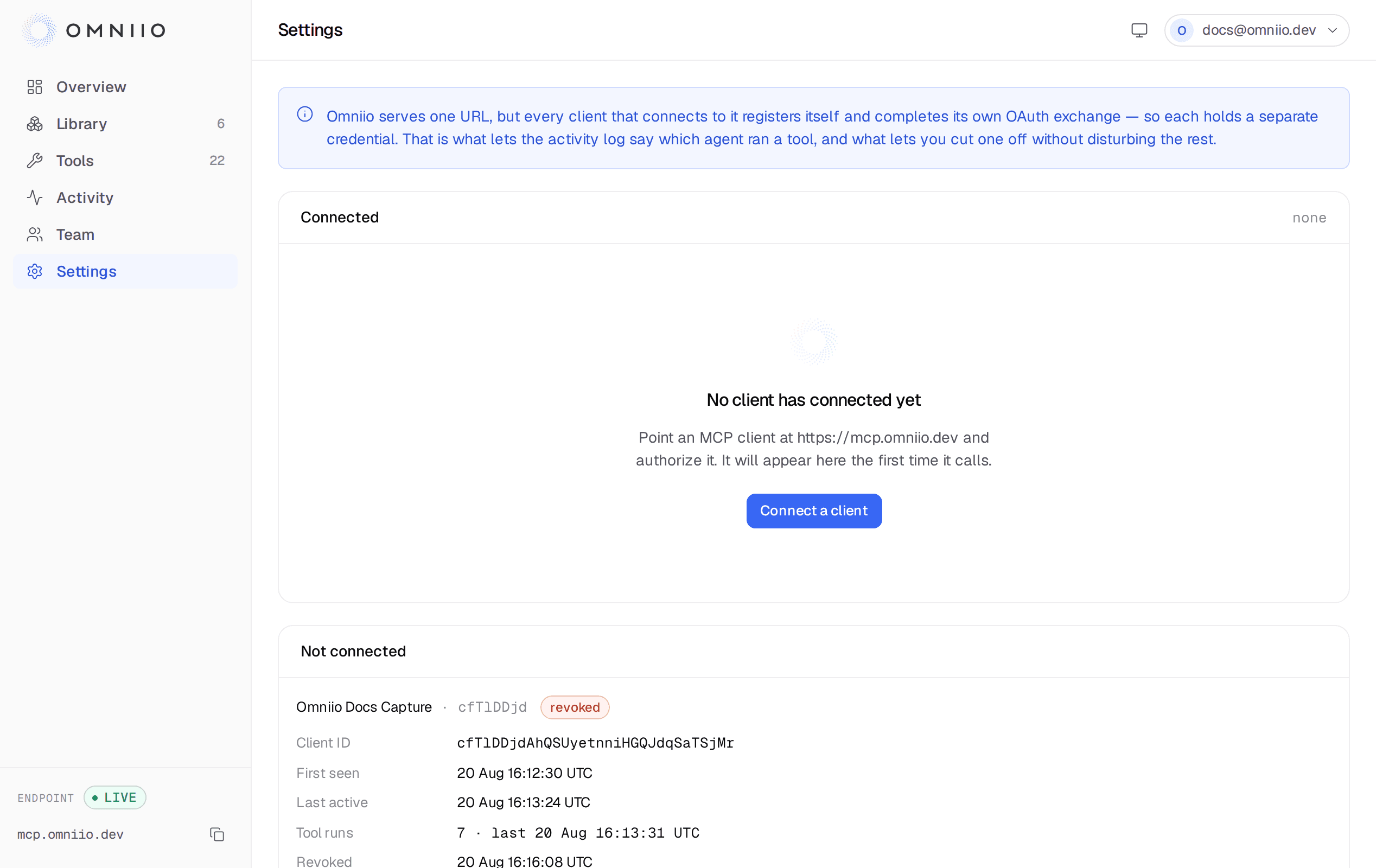
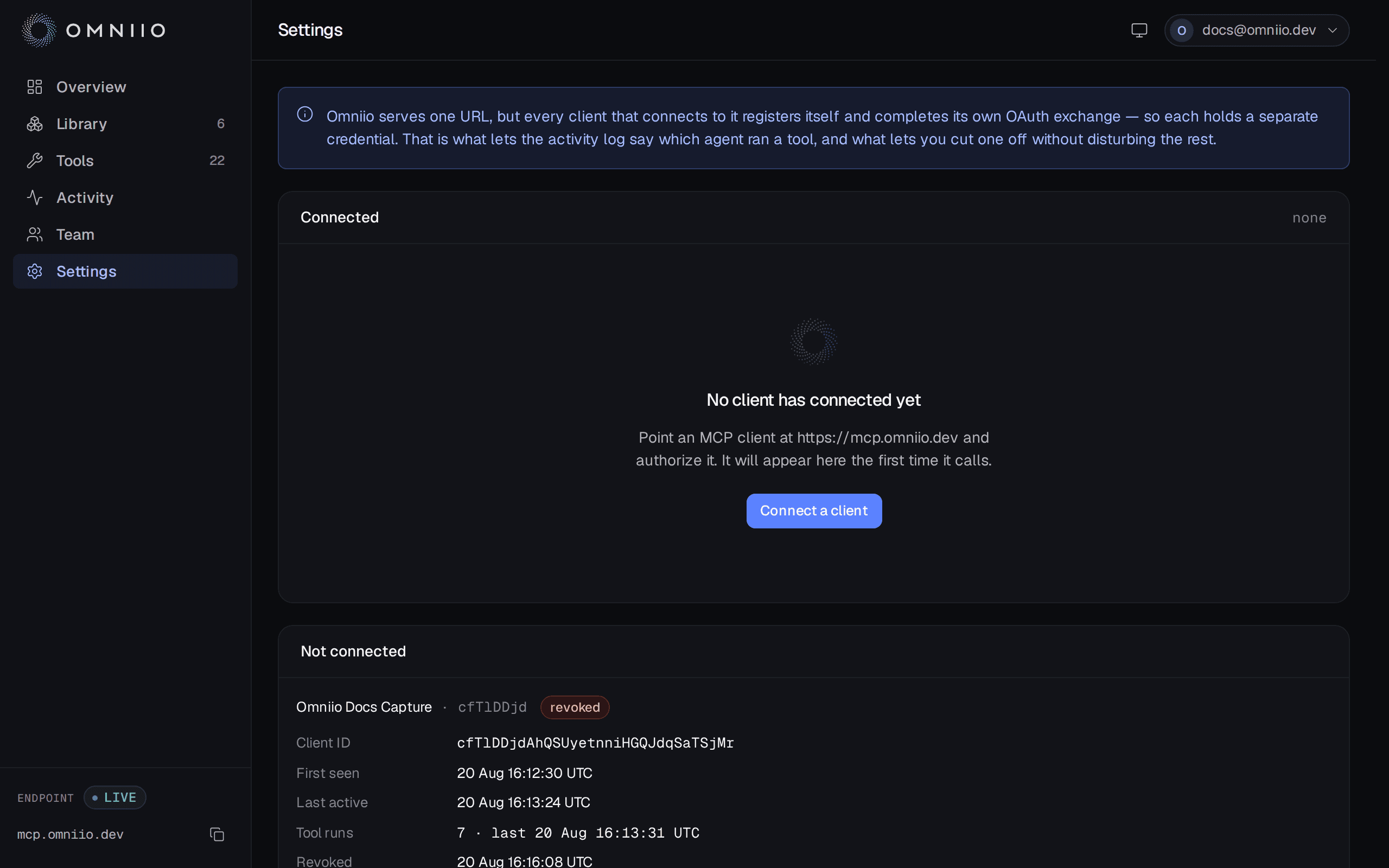
Revocation invalidates that client's access tokens. It does not disconnect any upstream server and it does not sign you out of the website.
Omniio to an upstream server#
An upstream grant begins only when you choose Connect on a server that uses OAuth. Omniio discovers the upstream's authorization server, uses a pre-registered client where one is configured or dynamically registers one where the server permits it, and runs a separate PKCE flow.
The code comes back to Omniio, not to your MCP client. Omniio exchanges it, stores the resulting token envelope against your account and that server, and uses it only when one of that server's tools runs.
What is stored#
OAuth client information, access and refresh tokens, and the short-lived PKCE verifier are sealed with AES-256-GCM before they are written. Each encrypted envelope has its own random IV and authentication tag, so altered ciphertext is rejected rather than decoded.
Bearer tokens entered for non-OAuth servers use the same envelope encryption. They are write-only in the interface: after saving one, the app shows the connection state rather than the secret.
Refresh and reconnect#
When an upstream access token expires, Omniio refreshes it before the tool call.
A temporary network failure leaves the connection in place so the next call can
retry. A definitive OAuth refusal such as invalid_grant, invalid_client or
invalid_token clears the rejected credential and returns the server to a
reconnect state.
That distinction matters: an upstream being down for a minute is not proof that you withdrew the grant.
Disconnecting an upstream#
Disconnect first asks the upstream to revoke its grant where it publishes a revocation mechanism, then unconditionally removes the stored tokens from Omniio and disables the server. If the upstream is offline or does not support revocation, the local deletion still happens; a server you disconnected is never left usable merely because its own revocation endpoint failed.
The upstream client registration may remain because it identifies Omniio, not your personal grant. Reconnecting runs a new authorization flow and stores a new token envelope.
Next: The three tools.